The whole story, unfolding in front of you.
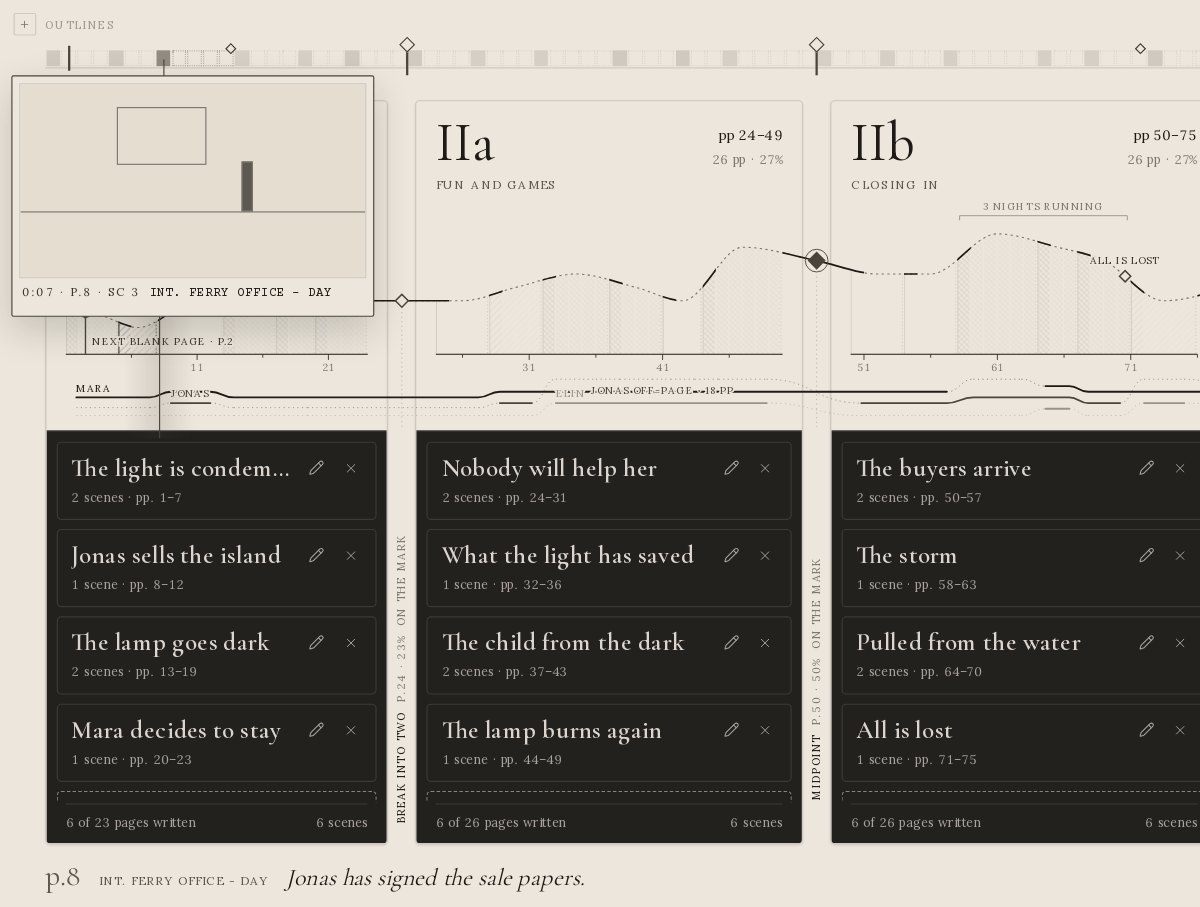
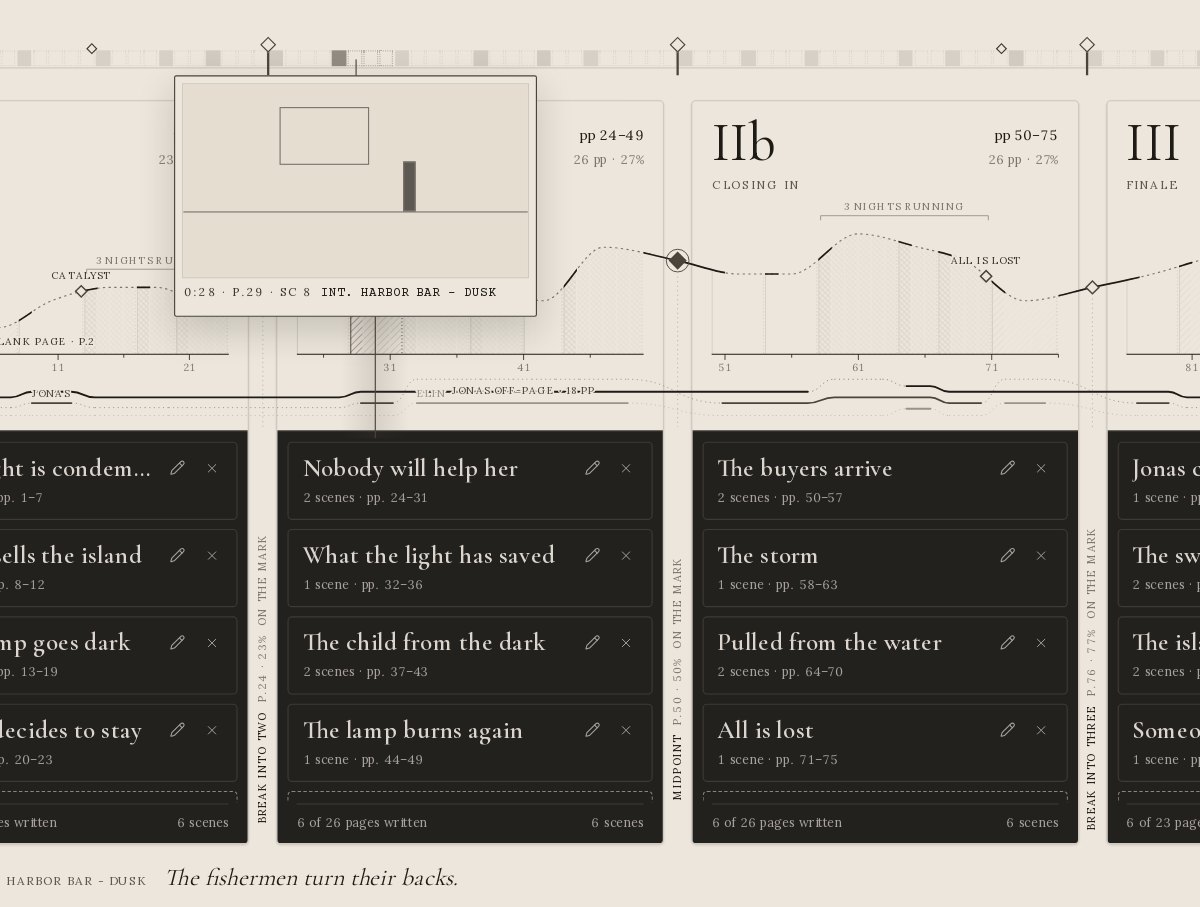
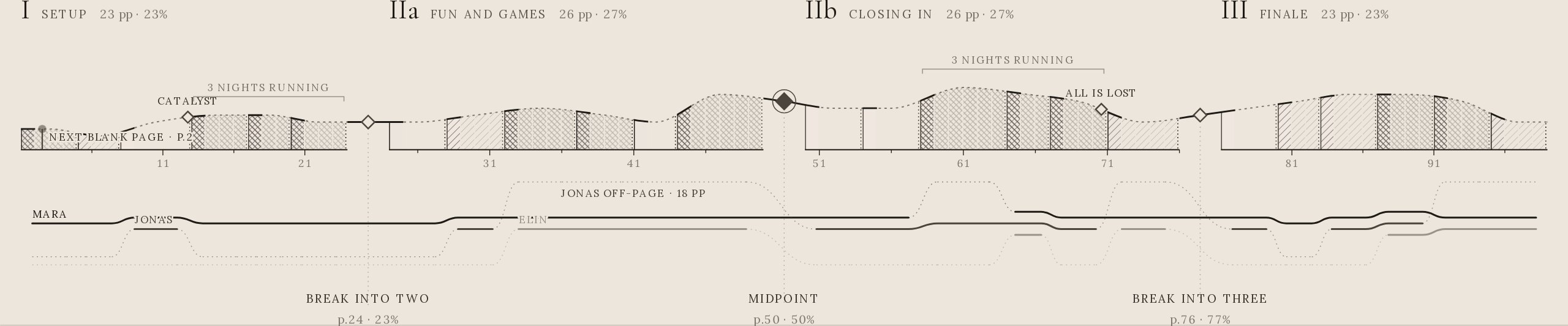
Every scene becomes a slice of one picture. Its width is its pages, its height its tension, its engraving the time of day. Drag an act and the scenes follow. Open any slice and you are on a real page, ready to write.
Your whole story, on one screen.
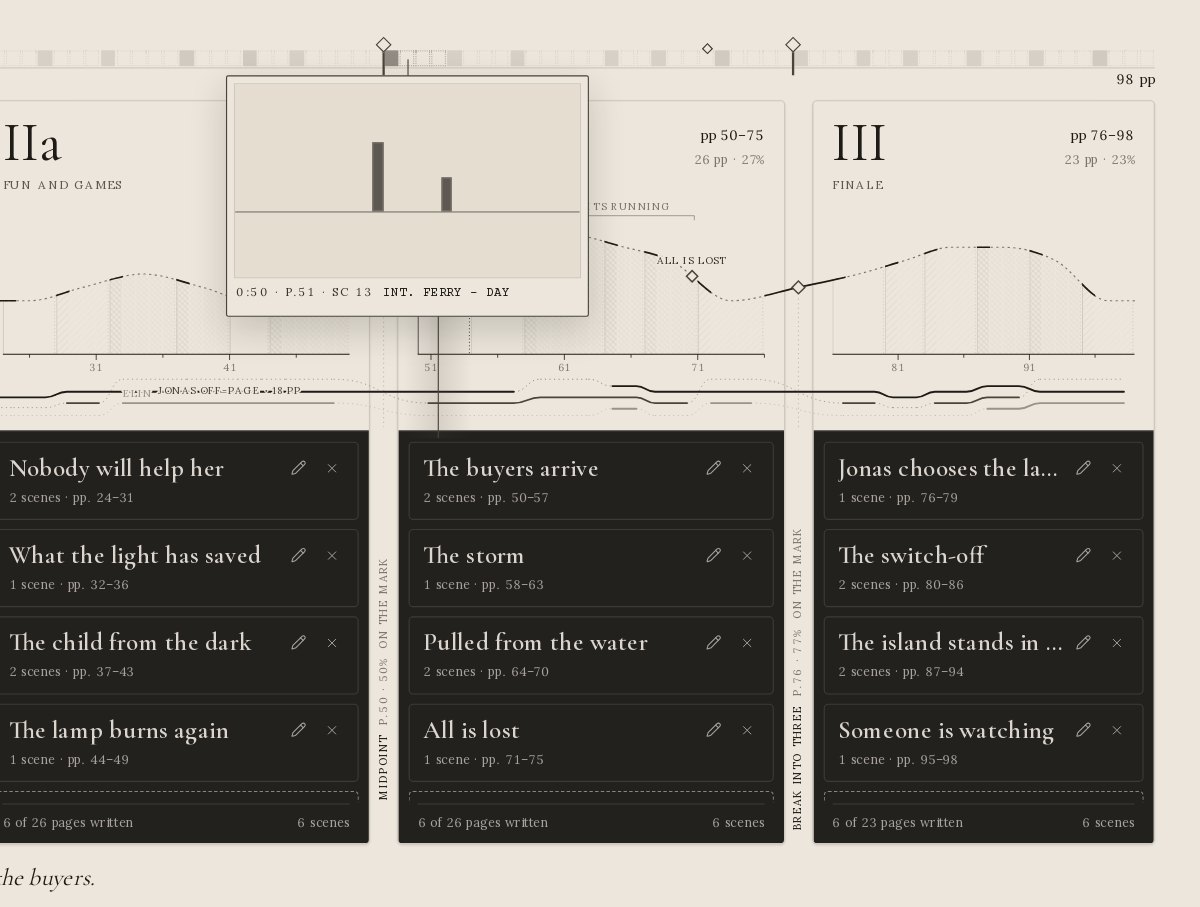
Most writing apps show you one page at a time. Pagefurl shows you the shape: the spine above, every page on the timeline, and four act cards holding your sequences and scenes.

Step inside an act.
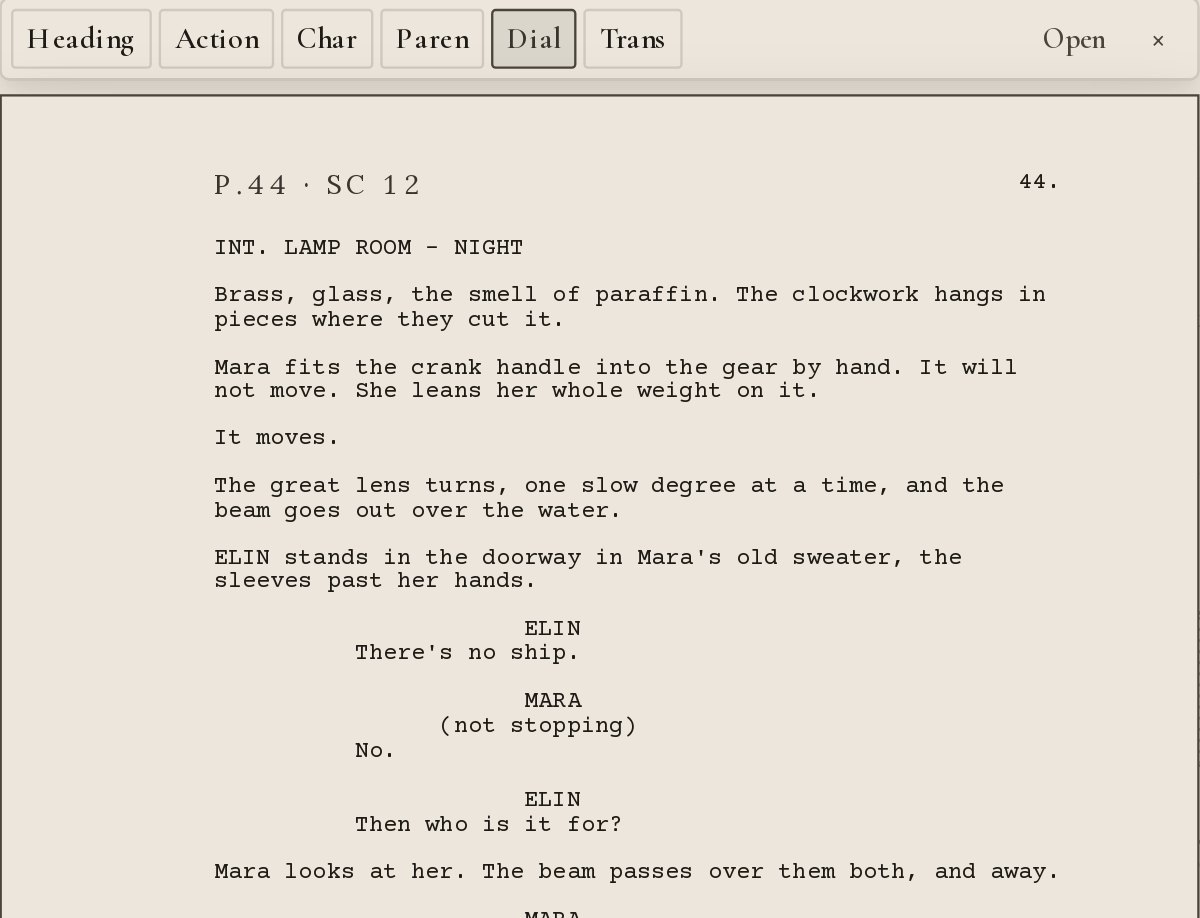
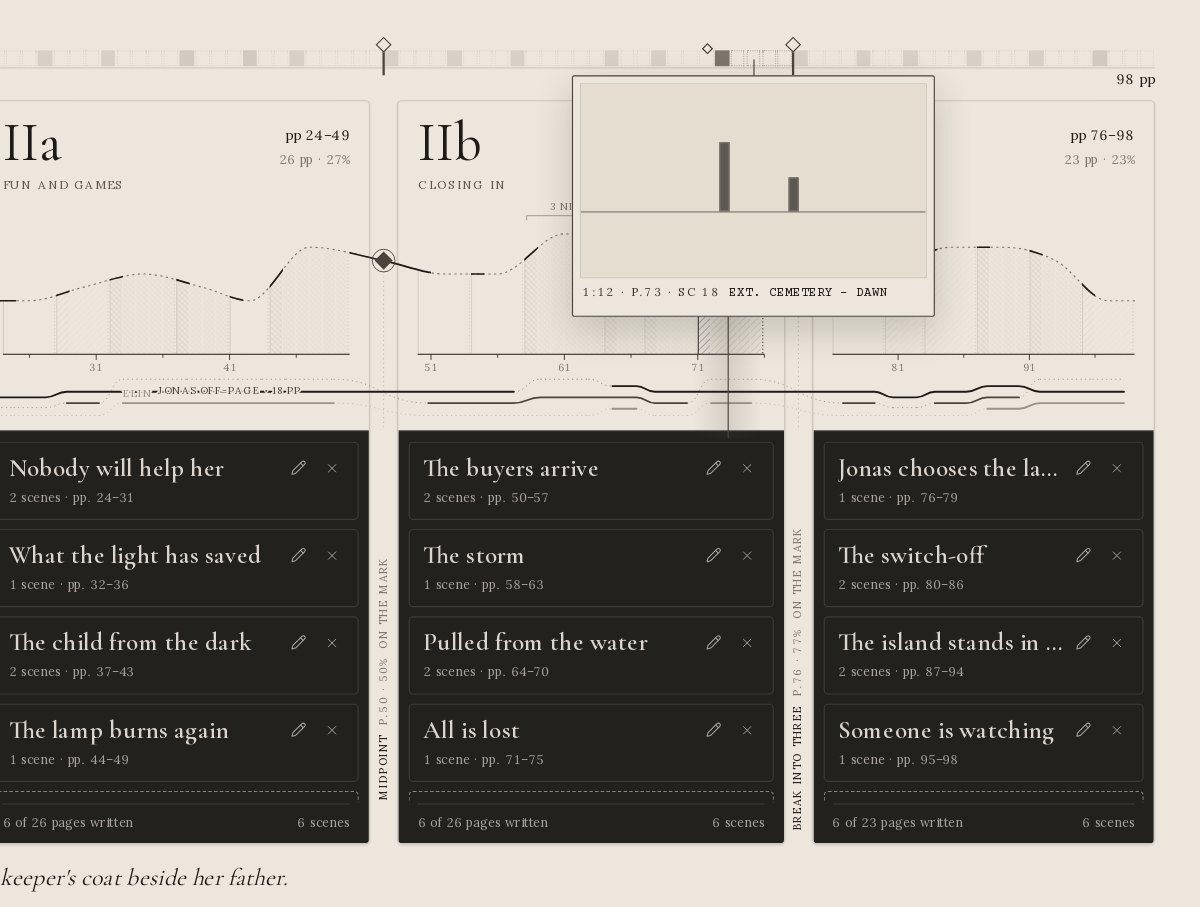
Click an act card and it opens across the screen: its sequences, its tension, every scene and every page, in one view. Click again and you are back with the whole story.

Close enough to write. Far enough to see.
The story beneath the story.
Before you begin.
What is Pagefurl?
A writing app for screenwriters and novelists. It lays out your whole story as one picture (the spine, the act cards, the sequences and the scenes) with a full page editor one click away.
Is the screenplay format industry standard?
Yes. Scene headings, action, characters, dialogue, parentheticals and transitions follow the standard layout, and the PDF export is checked against the rules of the Nicholl Fellowships, the Austin Film Festival and Sundance.
Can I write a novel in it?
Yes. Choose Novel when you begin and you get chapters and sections in standard manuscript format, with a word count in place of a page count.
Can I bring in a script I already have?
Yes. Import Final Draft (.fdx), Fountain, Highland, Word, PDF, Markdown or plain text, into the whole story or into a single act.
Which story structures are built in?
Start from four act cards or pick a structure: Three act, Save the Cat, Hero’s journey, Seven-point, the eight-sequence approach or Kishōtenketsu.
What does it cost?
14 days free, no card needed. Then €12 a month or €96 a year. The first 100 subscribers keep a founding price of €72 a year for as long as they stay subscribed.
What happens to my work if I stop paying?
Nothing is deleted. You can still open, read and export everything. Export is always free.
Who owns what I write?
You do. Your writing is stored only to run the app for you. It is never sold, never published and never used to train AI models.
What do I need to run it?
A modern browser on a Mac, a Windows PC or a Chromebook. You can also install Pagefurl from the browser as an app with its own icon.